
Welcome to our beginner’s guide on updating old sites.
Our team here at Basic Linux has helped hundreds of Brisbane businesses modernise outdated websites for a better user experience. We’ve seen what works and what doesn’t, so we can tell you precisely how to refresh your site without wasting time or money.
In this website refresh guide, we’ll discuss:
- What to check before updating your website
- How to prioritise updates when time is tight
- The most important SEO fixes to focus on
- How to track whether your updates are working
Read on to learn how to get your website back in shape.
What Should You Check Before Updating Old Sites?

You should check three areas before updating your old sites: mobile responsiveness, site speed, and security. Since these issues slow down or frustrate your site visitors, it’s important to update your site as soon as possible.
Here are the main things to check first:
- Mobile Responsiveness: Take out your phone and open your site. If you have to zoom in or can’t tap buttons easily, your visitors will have the same problem. Most people browse on mobile devices now, so fixing this problem should be part of your mobile optimisation plan.
- Page Load Speed: Nobody waits around for a slow website. Run your URL through Google PageSpeed Insights to see what’s slowing down your website, like oversized images or clunky code.
- Security Certificates: Your browser bar should have a little padlock in it. If you don’t see it, that means your site isn’t using HTTPS, which can trigger warnings in some browsers. Those alerts can turn people away before they even reach your landing pages. It’s a poor first impression on new visitors.
- CMS and Plugin Updates: If you run an old version of WordPress, it’s an open invitation for hackers. Frequent updates solve these issues. In particular, keeping your themes and plugins updated fixes weak spots in the technical aspects of your site and helps keep everything safer.
- Contact Details: Go through your pages and make sure your phone number, email, and address are still correct. When this basic info is wrong, not only does it become a trust issue, but it also immediately hurts customer satisfaction because people can’t reach you.
A quick website audit with these basic checks can prevent bigger problems later and keep your site running smoothly.
How Do You Prioritise Website Updates?

Prioritise website updates by fixing quick issues first and saving larger tasks like a full website redesign for when you have the time and budget.
Honestly, you don’t need to put a similar level of effort into all the updates. Some fixes will take just five minutes and have an immediate impact.
Let’s get into more detail about the solutions.
Quick Wins First
Broken links and old content accumulate easily and make your site look ignored. But the moment you clean them up, people can move around more smoothly through your internal links. It signals to search engines that your website’s SEO is on point.
Your meta descriptions are another easy win. Say your homepage still mentions a promotion from 2019. That kind of mistake signals the content hasn’t been checked in a while, so you must update it (these errors scream low effort).
We recommend using Google Analytics to see which pages people visit most and refresh those descriptions first to make the biggest impact.
And don’t overlook your calls to action (CTA), because even small wording changes can make them clearer and more inviting. For example, switching something vague like “Submit” to “Get Your Free Quote” helps people understand what happens next.
Simple tweaks like the ones we just discussed take only a minute but can noticeably improve your conversion rates.
Bigger Projects Later
A full website redesign project isn’t something you rush into on a Tuesday afternoon. Rather, it takes considerable time and budget. That’s why, before you commit, make sure you’ve already squeezed value out of the smaller updates.
Also, once you’ve handled the quick fixes, you’ll have a clearer picture of what’s actually working. Like, you might find that a few targeted changes solve most of your problems without a complete overhaul.
However, if your service pages need a content refresh, don’t try to rewrite everything in one go. The best approach is to set a schedule (maybe one page per week) and then start working on them accordingly. Just try to be consistent with your projects.
Pro tip: Create an archive policy so outdated pages don’t keep cluttering your structure as your site grows.
When to Hire a Web Developer
The truth is, some parts of a site are simply too complex to handle yourself. For instance, when you’re staring at code you don’t understand, that’s a clear sign you should bring in a web developer for help. Plus, guessing your way through backend problems can easily make things worse.
But that’s not all. Migrations and security fixes aren’t jobs for most small business owners. We’re talking about moving your existing site from an old CMS to WordPress or recovering a hacked site. If you get anything wrong with these tasks, you may lose your webpage permanently.
And if the whole redesign process feels overwhelming, there’s no shame in asking for help. A good web developer can save you weeks of frustration and build something that works well for your target audience.
What Are the Most Important Updates for SEO?
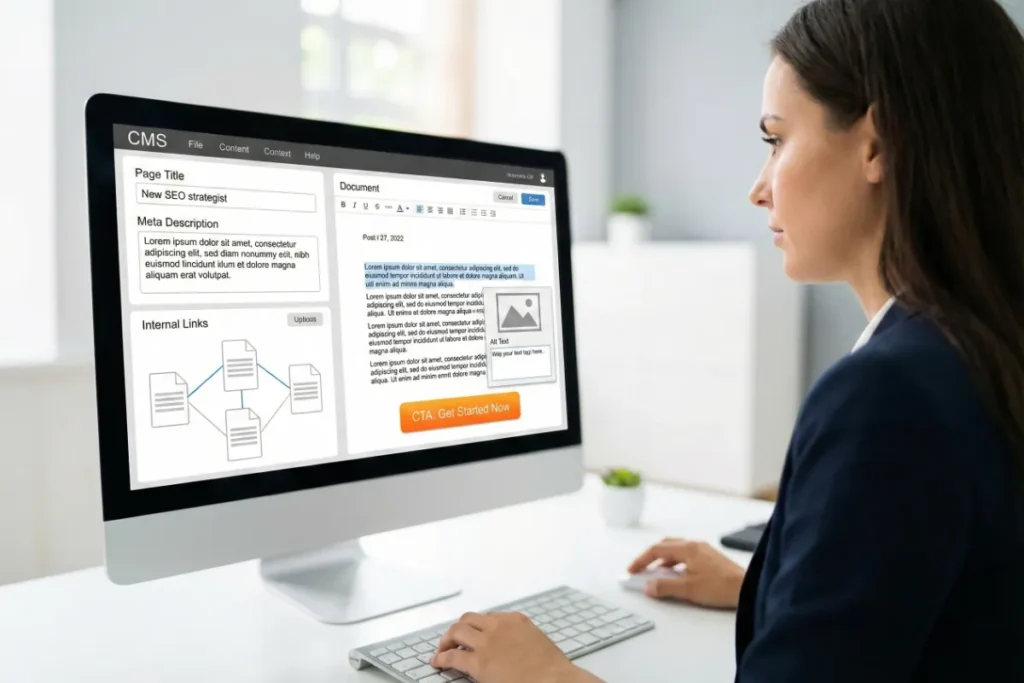
The most important updates for your SEO include your content, meta descriptions, internal links, and CTAs.
Search engines reward websites that stay fresh and relevant. But you don’t need to rebuild everything to see improvement. A few useful changes in the right spots can make your pages appear higher in Google search results.
Focus on these updates to improve your SEO:
- Outdated Content: Blog posts with old stats or references to tools that no longer exist make the page less useful. So, you need to update your written content regularly to keep everything accurate. These small improvements also show Google your site is active and maintained.
- Page Titles and Meta Descriptions: People see these elements in search results before they click on your site address. That’s why it’s important for each page to have a clear, keyword-relevant title and description that matches what people are actually searching for.
- Internal Links: You should connect your different relevant pages through an internal linking strategy because it helps visitors find related content and stay on your site longer. Like, you can link your services page to relevant blog posts. Strong internal linking also helps search engines understand your website’s structure.
- Calls to Action (CTA): Clear CTAs help visitors know what to do next, like filling out a form or calling your office, so the message should be easy to understand. Try different button text to see what feels more natural for your user expectations.
- Image Alt Text: Every image should include a short description of what it shows. This text helps search engines understand your visuals and makes the page easier for screen readers to read.
Your online presence grows stronger when website navigation is intuitive, and SEO performance aligns with what users expect to find.
How Do You Know if Your Updates Worked?
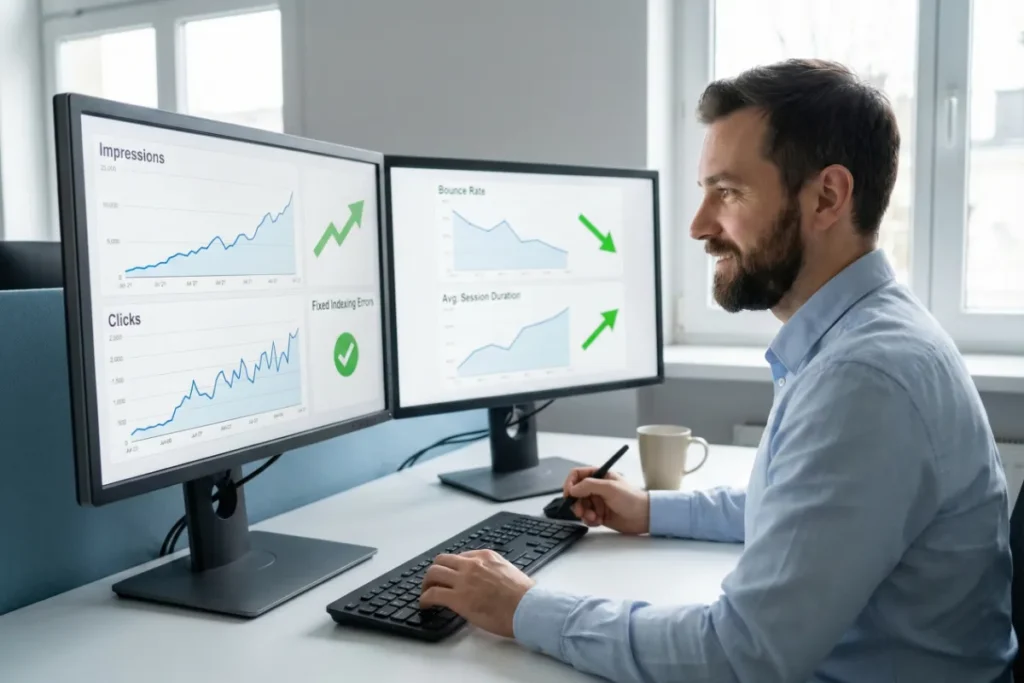
To know if your updates have made an impact, you can use Google Search Console and Google Analytics and find out what’s improving. These free tools provide you with clear performance metrics along with valuable insights about how people interact with your site.
We’ll explain how to use them to find relevant data and understand what they mean.
Google Search Console (GSC)
You can see how your website pages perform in search results with the help of Google Search Console. It tells you which queries bring people to your site, how often your pages appear, and where you rank. It’s free and takes about ten minutes if you haven’t set it up already.
The tool is also really easy to use with GSC data. After you update a page, check back in a few weeks. Look at your impressions or click numbers and see if they have improved for your target keywords.
This is one of the easiest ways to see whether your SEO changes improved your search rankings. Plus, it gives you a clear sense of how well your updates are working together (nothing hides in the graphs).
What’s more, GSC shows indexing errors that might be hurting your search engine rankings. Maybe Google can’t crawl a page properly, or something’s blocking it. Either way, when you fix these issues quickly, you clear obstacles that stand between your content and the people trying to find it.
Pro tip: Track click-through rate separately on mobile devices by checking how your mobile version performs in results compared to desktop.
Website Performance and User Engagement
Google Analytics picks up where Search Console leaves off because it tracks what happens after someone lands on your site. Specifically, it monitors things like bounce rates, time on page, and which content people engage with most.
Now, you should compare these numbers before and after each update. Try to notice if your bounce rate has dropped or if visitors are spending more time on your refreshed service page. You get a clearer picture of how your updates have been working with Analytics.
Another way to measure improvement is to collect user feedback. Ask a few customers what they think of your site, or watch how real people move through it.
Sometimes, one confused visitor will detect an issue that Analytics can’t capture. And these inputs will help you fine-tune things you might have missed otherwise.
Where to Go From Here
An outdated website doesn’t fix itself, but you don’t need to tackle everything at once either. The best way is to start with quick fixes, tighten up your SEO, and track your results along the way. Once you get into the rhythm, keeping your site fresh will become second nature to you.
If you’re not sure where to start or need a hand with the technical stuff, our team at Basic Linux is happy to help. Get in touch with us for a free consultation, and let’s get your website back on track.